
The action management software for greater efficiency
Action Management Software for Greater Efficiency
Why roXtra Actions?
Fast and effective implementation
Keep an eye on the implementation status of your measures - roXtra Actions supports you in meeting deadlines and ensuring standard-compliant documentation.
Automatic effectiveness check
Tasks, improvements and solutions can be implemented in a targeted manner with roXtra, while automatic effectiveness checks ensure timely monitoring.
Convenient action management
Customizable input masks facilitate the recording, implementation and effective completion of measures. AI integration allows measures to be created even faster.
High commitment
Maintain an overview - define responsibilities simply and in accordance with standards. The automatic documentation of all important changes enables complete traceability.
Get advice now
Get to know roXtra in a non-binding and free online presentation.
Get advice now
Get to know roXtra in a non-binding and free online presentation.
Practical applications for roXtra Actions
Immediate measures
Corrective measures
Preventive measures
Shutdown measures
CIP measures
From Nonconformity to Effective Corrective Action
Nonconformities can arise from a wide variety of sources: audits, customer complaints, production errors, or risks. What matters, however, is not where the nonconformity occurs, but why.
With roXtra, you can centrally document deviations and link them directly to the root cause analysis. Whether you use the 5-Why method, an Ishikawa diagram, or other analysis tools, the identified cause is documented in a traceable manner and remains permanently linked to the corrective action.
In regulated industries such as medical technology and pharmaceuticals, this approach is established as the CAPA process (Corrective and Preventive Action) and is enshrined in standards such as ISO 13485. The documented root cause analysis forms the basis for effective corrective actions.
This way, during an audit, you can not only demonstrate which measures have been implemented, but also document the rationale behind these decisions. This creates transparency, traceability, and a solid foundation for continuous improvement.
Further information on action management with roXtra
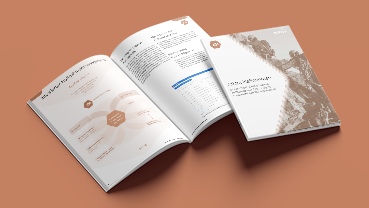

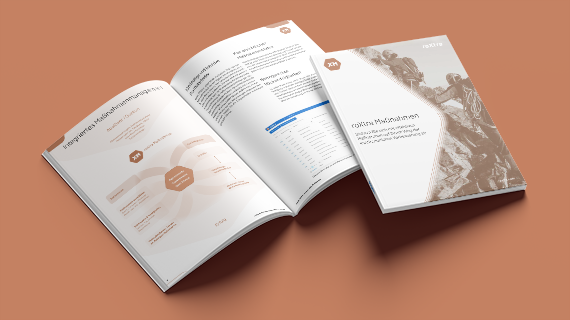

Action management made easy
What is action management?
Action management comprises the systematic planning, implementation and monitoring of measures for the continuous improvement of processes and products. It helps to identify optimization potential, derive quality-relevant tasks and check their success.
What does action management have to do with quality management?
Action management is an important component of quality management, as it ensures that improvements, corrections and preventative measures are systematically planned, documented and tracked. This ensures that standard requirements are met, processes are optimized and quality in the company is sustainably increased.
Excel, a task planner, or specialized software?
Most organizations start with an Excel spreadsheet; some switch to a general task planner later on. Both work—until the first audit comes around.
| Excel list | Task Planner | Action Management Software | |
| History | not traceable | in part | Every change is logged |
| Origin of the Measure | recorded manually | not provided for | linked to an audit, complaint, or risk |
| Efficacy Test | 's own calendar entry | 's own calendar entry | Part of the process |
| Types of Measures | freely named | not distinguished as " " | Correction, Prevention, and Other (separate pages) |
| Audit Record | must be compiled as | must be compiled as | occurs while working |
What are the benefits of action management software?
Effective action management software helps to identify risks at an early stage and take targeted countermeasures. It bundles inputs from risk assessments, internal audits, employee suggestions and customer feedback in order to implement sustainable improvements in a structured manner.
With the right software for action management, you can optimize workflows, increase quality and ensure greater transparency and traceability in your processes.
What types of measures are there?
A distinction is made between different types of measures in measures management, including preventive, corrective and continuous improvement measures. Preventive measures serve to minimize risks, while corrective measures are aimed at eliminating problems that have already been identified. Continuous improvement measures support long-term optimization processes.
Action management software enables the structured recording, implementation and tracking of all types of actions. This allows measures to be managed in a targeted manner, responsibilities to be clearly assigned and effectiveness to be ensured in the long term.
What is a list of measures?
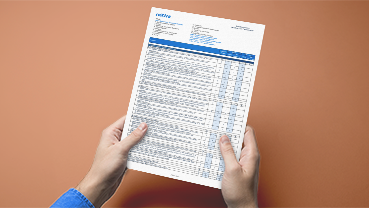
An action list is a central overview of all planned, ongoing and completed actions within a company. It contains important information such as responsibilities, deadlines, status and priorities of the individual measures.
With roXtra's action management software, action lists can be exported with just one click. Flexible options for filtering, sorting and evaluating for even more efficient action management are also supported.
What are the benefits of the roXtra action management software?
With roXtra Actions , you can control and monitor the successful implementation of a wide range of immediate, preventive and corrective measures and keep an eye on your list of measures. You bundle the input from various company processes, your risk management and suggestions for improvement centrally.
The action management software supports you in monitoring the implementation status of your actions, summarizing all important information, meeting target deadlines, tracking responsibilities and checking the effectiveness of a successful completion of an action. By linking measures with processes in roXtra Processes and with risks in roXtra Risks you receive a continuous documentation chain. You can also coordinate all measures across departments.
Thanks to the graphical filters, the most important information is presented to you visually and with the help of the export function you can export your list of measures as a clear Word, PDF or Excel file with just one click.
Do you already know our other solutions?
roXtra Documents
Manage documents according to standards and in individual workflows.

We will show you roXtra in a free and non-binding online presentation.