
Experience the next generation of our quality management software: roXtra 10
Modern design, improved performance, proven features: With roXtra 10, our document management software has been completely redesigned. It remains just as reliable, standards-compliant, and audit-proof as you’ve come to expect from roXtra.
roXtra 10 is more modern, faster, and always with you
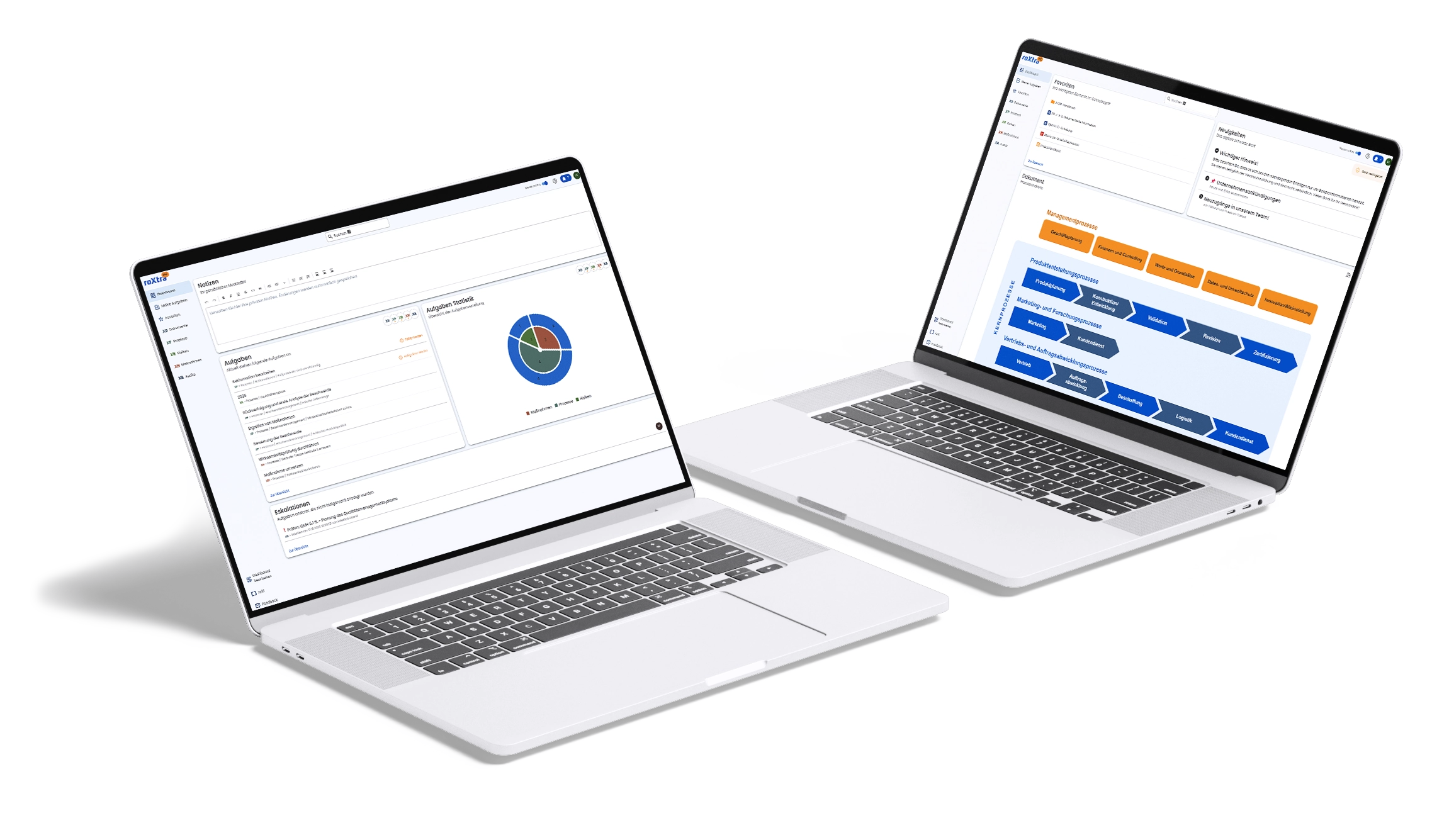
Customizable Dashboard
Create your own home screen with your favorite widgets.
Simplified Search
Live search displays relevant results as you type. Filters narrow down the results.
Improved Performance
roXtra 10 is optimized to help you get around faster than ever before.
Responsive & Mobile
At your desk and on the production floor: roXtra 10 runs on all devices and screen sizes.
Can be installed as an app
Install roXtra on your computer or smartphone and open it with a single click.
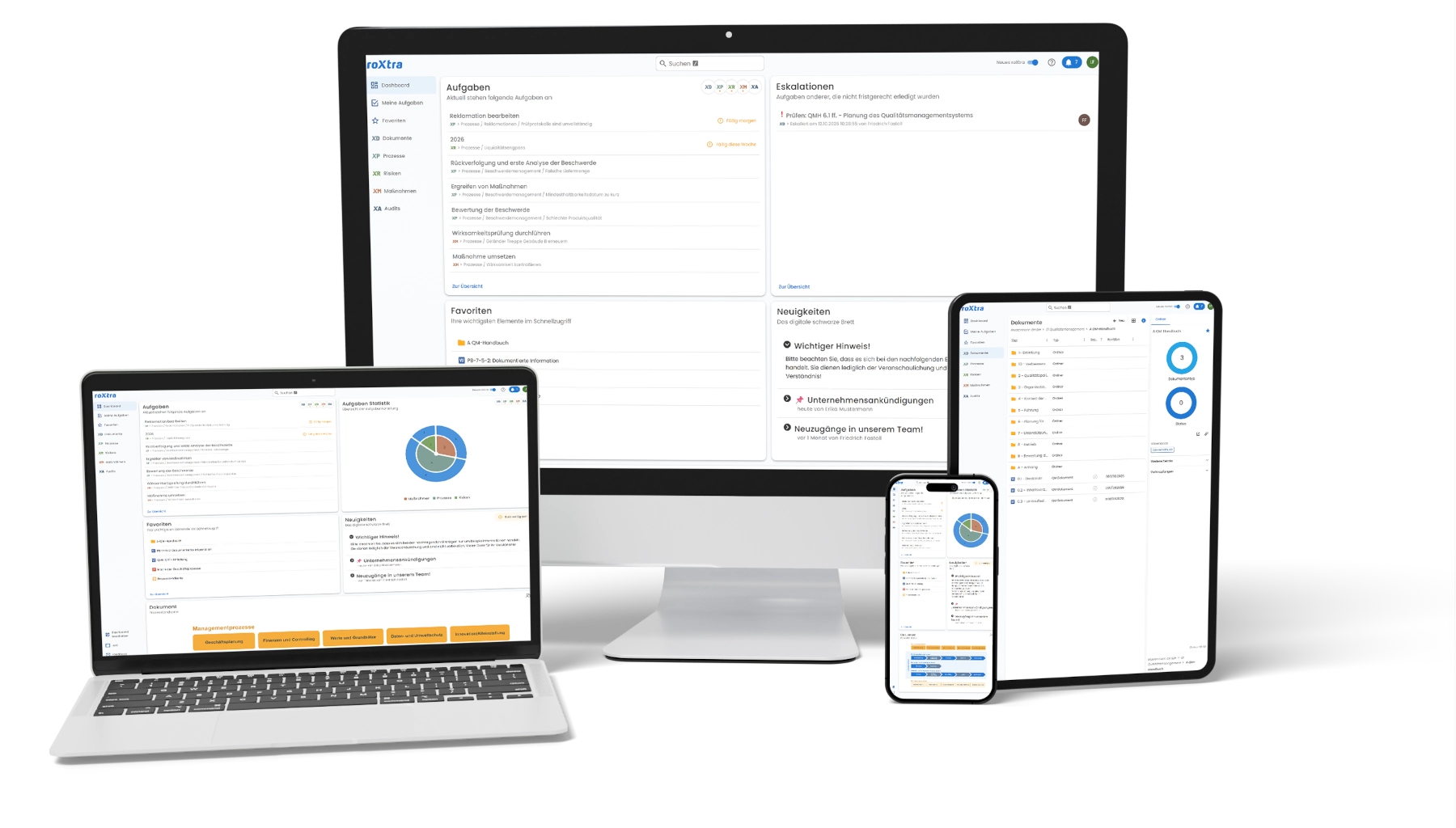
A Look at the New Interface
What's New in roXtra 10
With more than 25 years of experience and another major leap forward in development: We’ve thoroughly modernized roXtra Documents .
The features you’re used to remain the same but now come with a modern interface. Here are the highlights.
Your Dashboard, Your Preferences
You decide what appears on your home page.
With roXtra 10, you can customize your home screen to fit the way you work. Choose your favorite widgets, arrange them to suit your needs, and keep track of pending tasks, news, and frequently used documents at a glance.
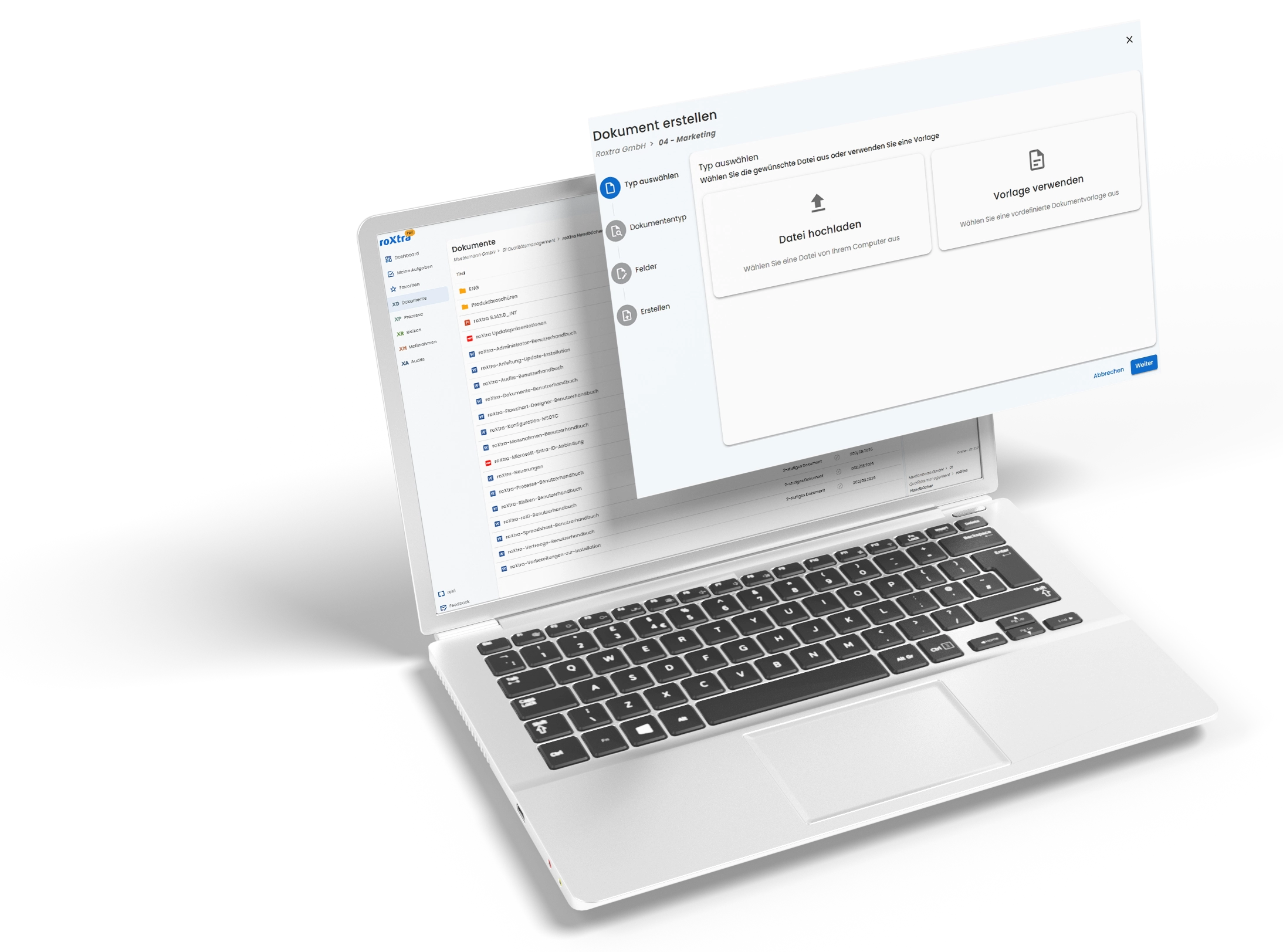
Modern design
A fresh look that everyone enjoys working with.
After just two minutes in the system, it already feels familiar. The transition to the new roXtra 10 is a breeze, thanks to its clear structure and well-designed navigation. Even new employees can find their way around with ease.
Better Performance &
Live Updates
Fast and always up to date.
roXtra 10 responds noticeably faster, even when many users are working in the system at the same time. Documents, workflows, and folders open more quickly, while shared updates are displayed immediately without having to reload. If a colleague renames a file or updates a document, you’ll see the change right away in your view.
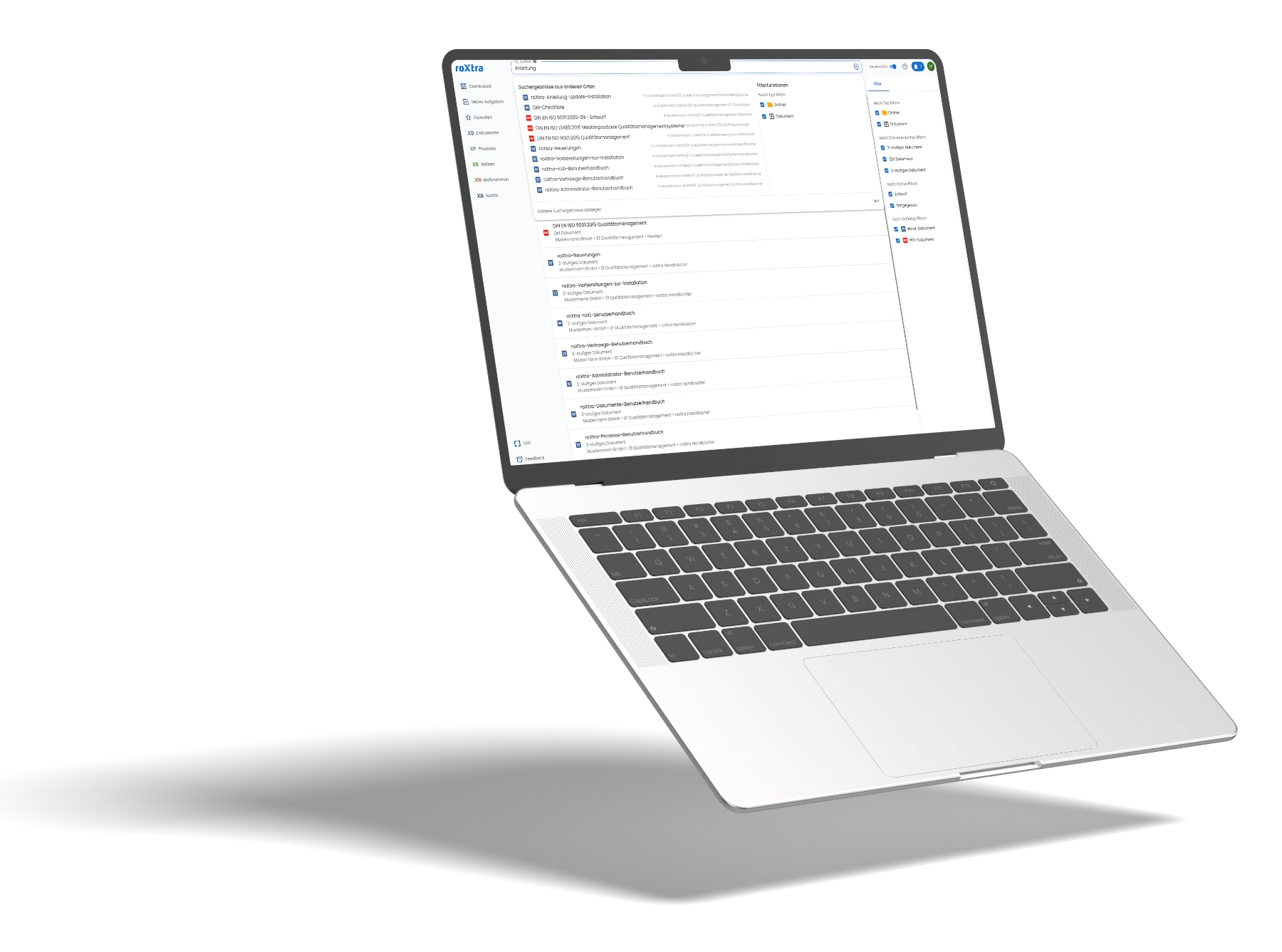
Live Search and More Filter Options
You're still typing when the right result pops up.
As soon as you start typing the first few letters, the document you're looking for appears. Live search makes finding folders and files even faster. The additional filters available in roXtra 10 also help with this, allowing you to narrow down search results even more effectively.
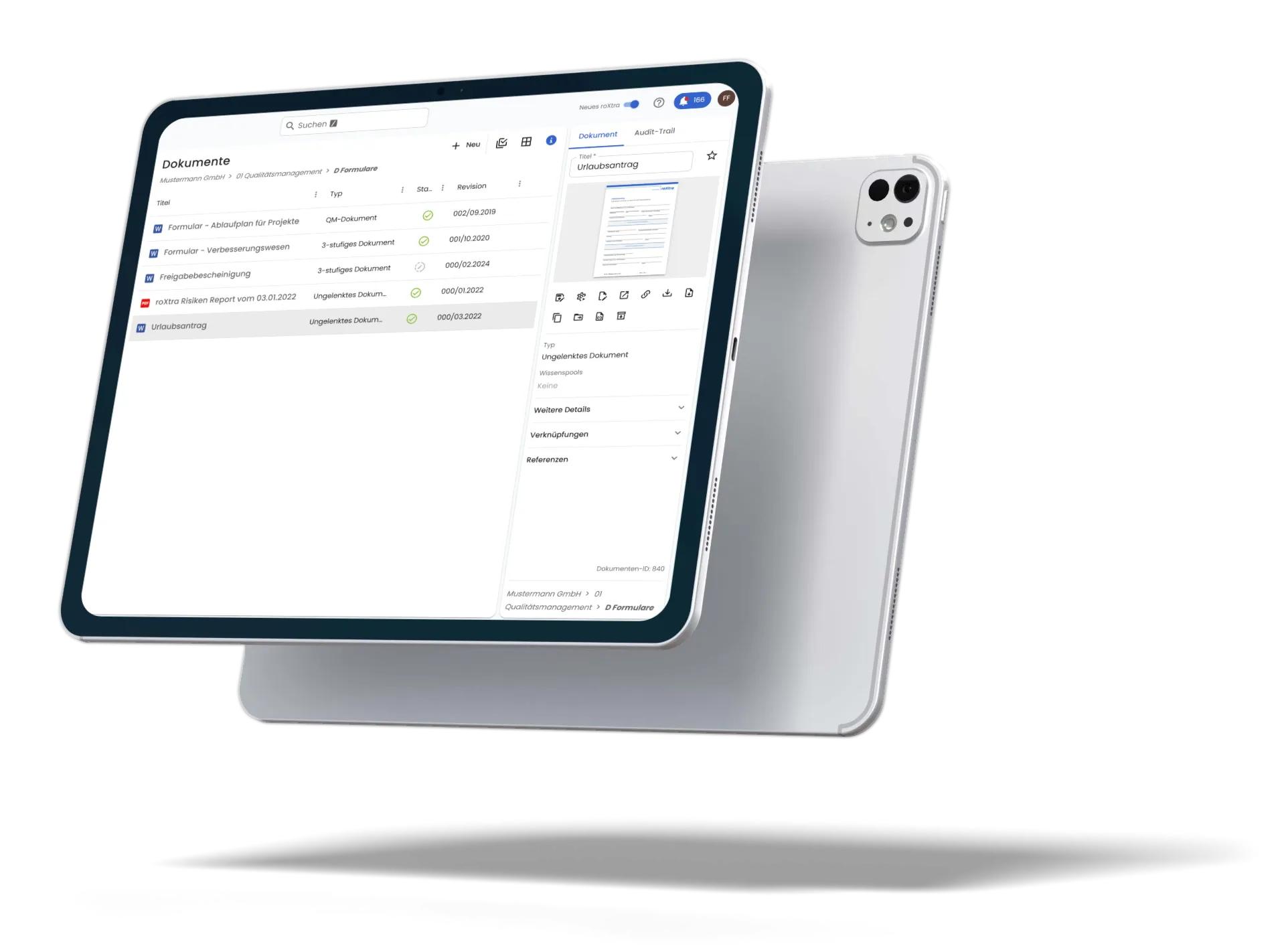
Mobile and as an app
roXtra is wherever you work:
in the office, on the production floor, or on the go.
roXtra 10 now fits right in your pocket: The software is optimized for any device. If you prefer an even more direct approach, install roXtra as an app on your desktop or smartphone and launch it with a single click.
For the full experience:
With AI support
If you're going to go with roXtra 10, do it right.
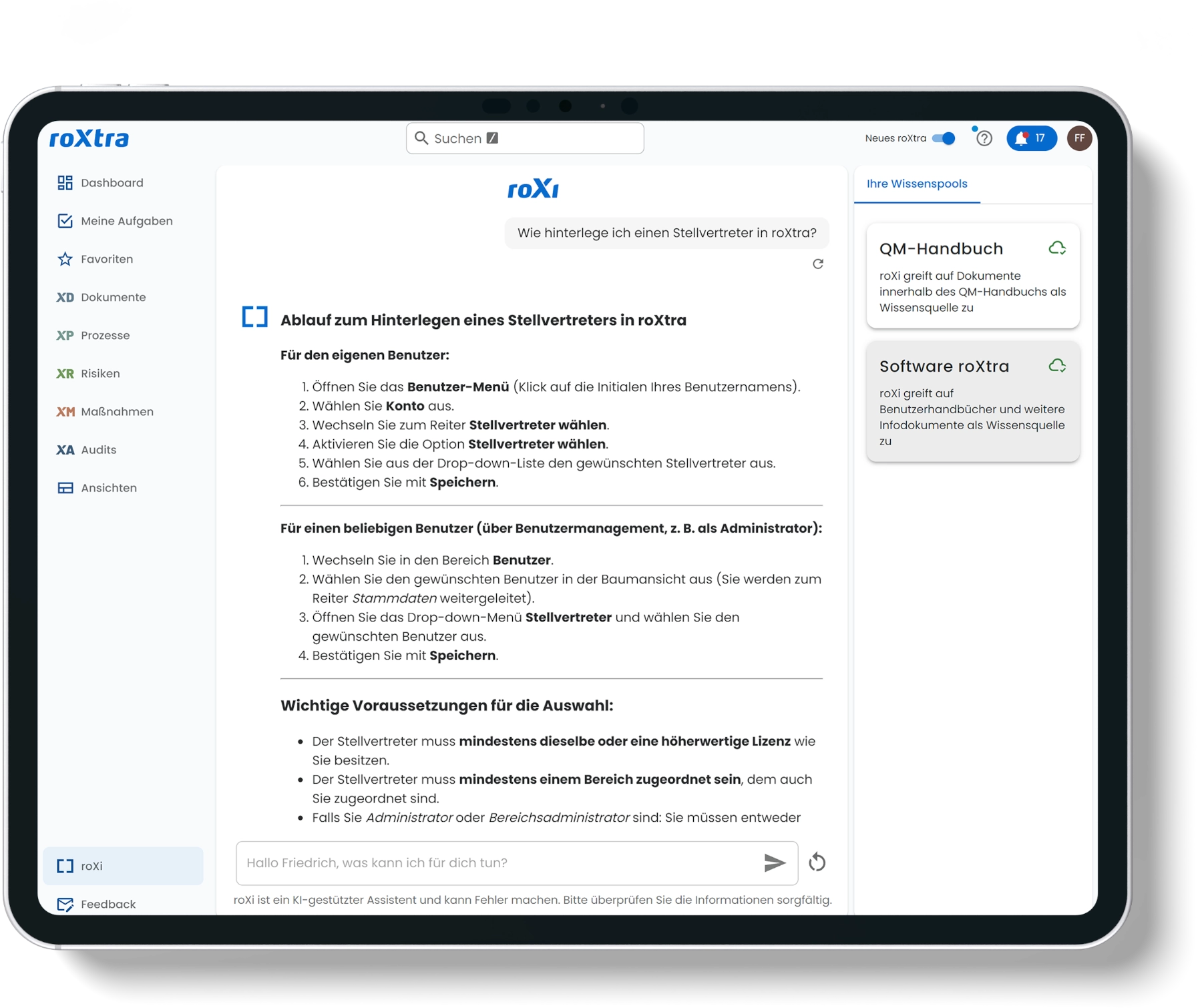
With optional AI integration, you get the full package. Our AI assistant, roXi, answers questions based on your company documents or quickly builds a process for you using prompts. The AI Hub bridges the gap between roXtra and the AI solution you use in your company.
Questions about roXtra 10?
What's new in roXtra 10?
The new roXtra features a user interface developed from the ground up, with intuitive navigation and enhanced functionality. These features include a customizable dashboard, live search with more filtering options, live updates, faster performance, and the ability to use the platform as an app and on all devices.
Which modules does the new interface apply to?
roXtra 10 focuses on document control. The other modules—Processes, Actions, Risks, and Audits—will be added step by step. However, all modules are available with full functionality on a single platform.
Can I use roXtra 10 on my smartphone?
Yes, the read-only access feature in roXtra 10 is optimized for smartphones and tablets. It works the same way on every device, and you can access your documents anywhere.
Do I need to install roXtra 10?
roXtra 10 runs in your browser. If you'd like, you can also install roXtra as an app on your computer or smartphone for even faster access.
Is the AI feature automatically integrated into roXtra 10?
No, AI is not automatically included in roXtra 10; it can be added as an optional feature. We recommend enabling roXi and the AI Hub for the best possible user experience.
Will I still be able to use the features I'm used to?
All of the proven features of document control remain intact. roXtra 10 continues to comply with standards and is audit-proof.
Do I have to switch to roXtra 10?
No, you don't have to switch to the new user interface if you don't want to. roXtra 9 will continue to be supported and receive regular updates. In the long term, however, only roXtra 10 will continue to be developed.
We know that people are reluctant to step outside their comfort zone. That’s why roXtra 10 was designed: to offer more intuitive operation and a better user experience. Don’t be afraid of change—switching to the new user interface will give you significantly more benefits.
How can I watch roXtra 10?
The fastest way is through a free, no-obligation online presentation. We'll show you roXtra 10 live and answer your questions right away. Contact us here.
Schedule an appointment online now
Before we go on and on about it, we’d rather give you a firsthand look. In a free, no-obligation online presentation, we’ll introduce you to roXtra 10 and show you the latest version.
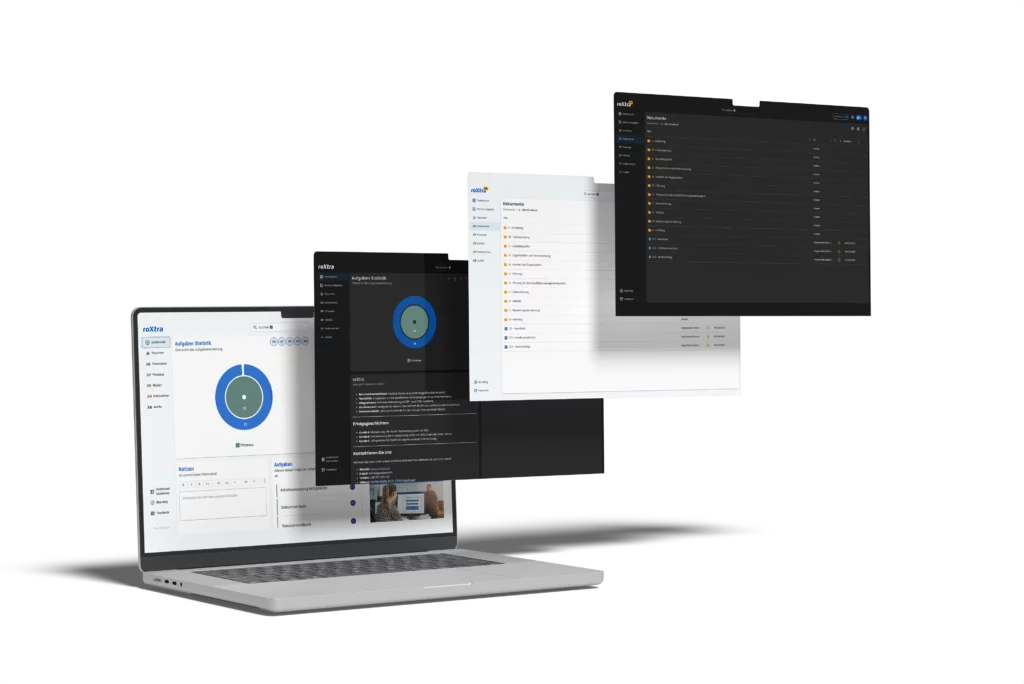
Coming soon to Document Management.
Coming soon to the entire platform.
The new user interface for roXtra 10 is initially available in Document Management. Following this major development milestone
, we are now gradually rolling out the new design across the entire roXtra platform. Processes, actions, risks, and audits will follow. This allows you to benefit from the new user experience today while still enjoying the full functionality of all roXtra modules.
Managing documents has never been easier. The roXtra document management system helps you store all documents in one central location and manage them in accordance with standards. From creation to archiving, you maintain a clear overview and meet the requirements of your day-to-day business operations at the same time.
Additional modules from roXtra

Smart support in everyday life through artificial intelligence
With roXi, you have an intelligent assistant at your side that makes it even easier for employees to find information, for example through brief descriptions or summaries of documents.
Use the intelligent document chat for precise answers to all your document questions. This makes your work more efficient and ensures you always get the information you really need.
To ensure compliance with data protection regulations, roXi offers valuable support by utilizing your internal documents and information.
AI support can be activated optionally and does not happen automatically when switching to the new roXtra interface.

Schedule an appointment online
We'll show you roXtra 10—for free and with no obligation
Take a look at our system with no obligation, and visit
to find out if roXtra is the right software for your quality management.


Would you prefer to send us an inquiry? Then you've come to the right place.